
Linkfyn › Link in bio for WhatsApp
Link in bio for WhatsApp business: what to put on it
If your customers order by sending you a message, your link in bio has one job: get the right people into your WhatsApp with what you need to serve them. A page of ten equal buttons doesn't do that. This guide covers what a link in bio page should hold when your sales happen in chat, in what order, and how to tell which parts of it bring you customers.
Linkfyn is invite-only for now, and free during early access. Leave your email and we'll send you an invite.
Pick your page's address. Free to start, no card needed.
Why a plain list of links falls short
Most link in bio pages are a stack of buttons: WhatsApp, Shopee, TikTok, the menu PDF, last year's promo. That works for a creator sending people elsewhere. For a shop that sells in chat, it has three problems:
- The customer has to decide where to go. Every extra button is a chance to wander off. The one that makes you money, the chat, looks the same as the rest.
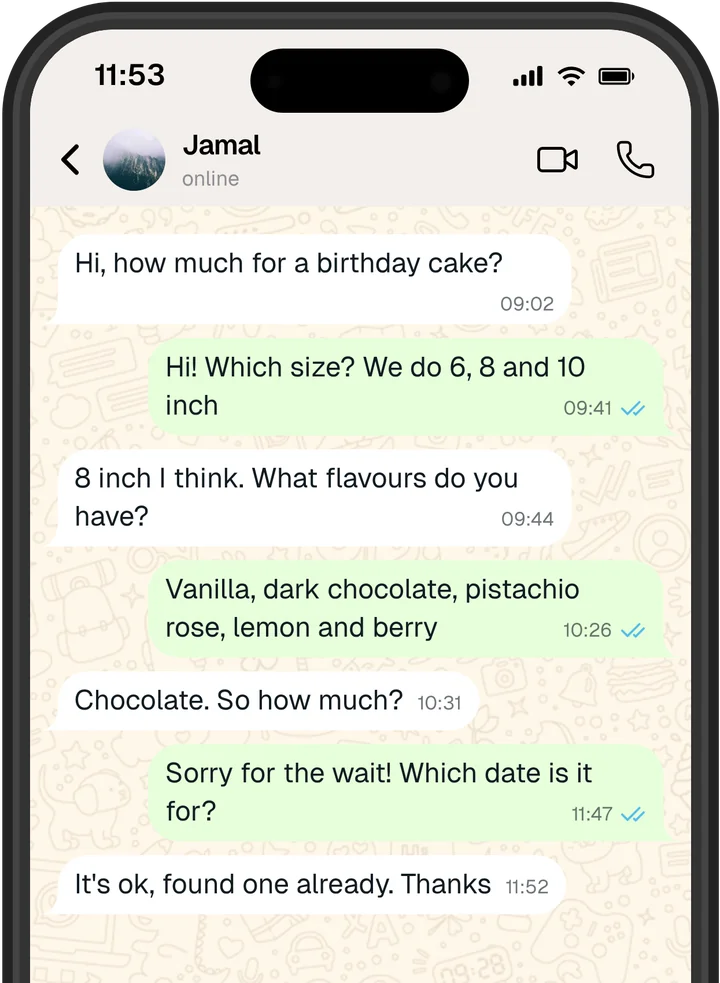
- The chat starts empty. A bare WhatsApp link opens a blank message, so the first ten messages are you asking what they want, which size, and when.
- You can't tell what works. You see that someone messaged you, not whether they came from your Instagram bio, a story or an ad, or which part of the page made them tap.
What to put on it, in order
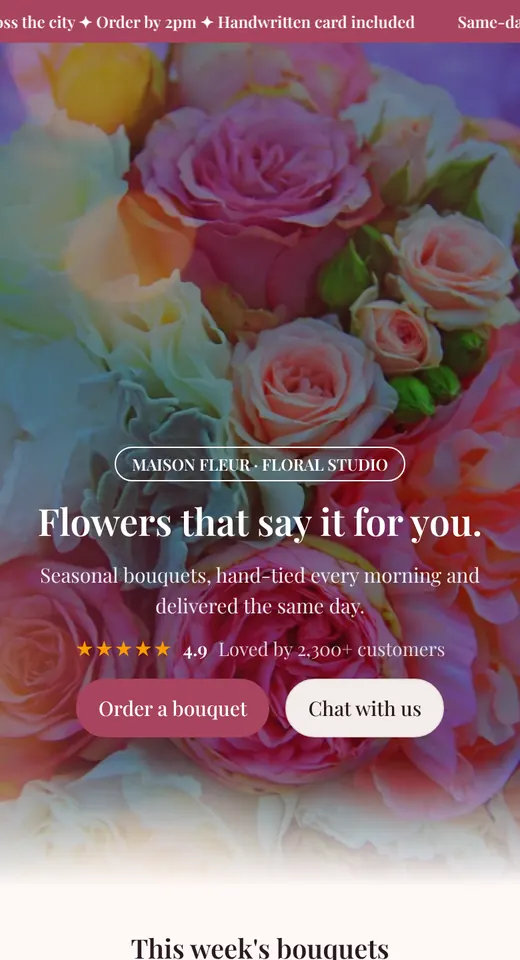
Think of the page as the shop window people see before they message you. Top to bottom, on a phone:
- Who you are and what you sell, in one line, with a real photo of your work. "Custom cakes in Cheras, order 3 days ahead" beats "Welcome to our page!".
- One main button that matches how you sell: "Order now", "Get a quote" or "Book an appointment". Make it the only button that stands out.
- What you offer, with prices or a starting price. A few photos with names and "from RM45" answer the first question before it is asked.
- An order form for anything with options. It asks the questions you would ask in chat, then opens WhatsApp with the whole order typed out.
- Proof: a few reviews from real customers, in their words.
- The practical bits: opening hours, the area you deliver to or your address, and the answers to the questions you get every day.
- Your other accounts last, as small icons, so they don't compete with the main button.
Make every chat start with the right words
A WhatsApp link can carry a message: wa.me/60123456789?text=Hi, I'd like to order opens a chat with those words typed, and the customer only presses send. Use it everywhere you link to your chat, so you know the message came from your page. The free WhatsApp link generator writes the link for you.
Better still, let the customer say what they want before the chat opens. On a Linkfyn page, chat buttons open your WhatsApp with a greeting typed, and an order form ends by opening WhatsApp with each answer, the price, the customer's name and a short reference link, all in one message. Your first reply can be "Yes, we can do that on Saturday", not "Which size?".
A form is also saved as a lead in Linkfyn, so an order doesn't disappear under newer chats: it waits on your Leads board until you mark it won or lost.
Know which parts of the page bring customers
Put the same page link everywhere: your Instagram and TikTok bio, your WhatsApp Business profile and status, your Google Business Profile, the QR code on your packaging. Then look at what people do on it. Linkfyn counts, for each part of the page, how many people saw it and how many tapped through to your chat, and which forms turn into orders, without cookies on your page. Add a tag to the link you use in an ad or a story, and you can see which of them brought the visits. More on link in bio analytics.
If you run Meta or TikTok ads, Linkfyn can also tell the ad platform when a form is sent and when an order is won, so the ads learn to find people who buy (on the Business plan).
Moving from the link page you have now
You don't have to start from nothing. If you have a Linktree, paste its address when you set up Linkfyn: it brings in your photo, your bio, your links and your social accounts, and puts them on a page with an order form. Your old WhatsApp link becomes a chat button. Then change the link in your bios to your new page. For how the two compare, with prices, see Linktree alternative for businesses that sell on WhatsApp.
Your page lives at linkfyn.co/yourshop, or on your own domain on a paid plan.
Questions
Can I just put my WhatsApp link in my Instagram bio?
You can, and if you sell one thing at one price it may be enough. Once you have options, prices or a delivery area, a page in between does more: it shows what you sell and what it costs, and sends people to your chat with their order already written.
Do I need the WhatsApp Business API?
No. Linkfyn works with the normal WhatsApp app and with WhatsApp Business. Customers message you from their own phone, and you reply yourself. Shops on LINE, Telegram and other chat apps can use it too.
Does a link in bio page help on Google?
It can. Each Linkfyn page is a real web page with your shop's name, description and business details that search engines can read, and it is listed in Linkfyn's sitemap. People searching for your shop's name can find it, which a WhatsApp link on its own can't do.
Can customers pay on the page?
Not yet. The order comes to your WhatsApp, and you confirm it and take payment there, the way you do now.
What does it cost?
There's a Free plan. Pro is about US$5 a month, and Business, which adds ads tracking and your team, is about US$15. A new shop gets Business free for 14 days, no card needed.
Make your link in bio page
Linkfyn gives you a page for your business, an order form that adds up the price, and a board that keeps every order until it is won. Start here.
Linkfyn is invite-only for now, and free during early access. Leave your email and we'll send you an invite.
Pick your page's address. Free to start, no card needed.