
Linkfyn › WhatsApp booking form
WhatsApp booking form: take appointments without clashes
If you run a salon, spa, clinic, studio or class, most of your bookings probably start with "Are you free on Saturday?" in WhatsApp. A booking form cuts that chat short. This guide covers what a WhatsApp booking form should ask, why a plain form still leads to double bookings, and how to have customers pick only times you really have free, with every request saved on your calendar and one tap from your WhatsApp.
Linkfyn is invite-only for now, and free during early access. Leave your email and we'll send you an invite.
Pick your page's address. Free to start, no card needed.
How a WhatsApp booking form works
You put one link in your Instagram bio, your WhatsApp status or your Google profile. The customer opens it, picks what they want and when, and leaves their name and number. Then WhatsApp opens on their phone with the booking typed out, and they press send. You get one complete message instead of ten back-and-forth ones.
There are two kinds of booking form, and the difference matters:
- A form that asks for a preferred time. The customer types or picks any date and time. The form doesn't know your diary, so you still check each request and often reply "Sorry, 3pm is taken, how about 4?". Fine for a few bookings a week.
- A booking page that knows your calendar. It offers only the times that are free for the service they picked, and holds the time once they ask for it. Two customers can't take the same slot, and nobody is offered a time you are closed.
Linkfyn can do both. A form can have a "Preferred date and time" question, with closed and past days greyed out. When you switch Appointments on, your page also gets a booking page at linkfyn.co/yourshop/book that shows only free times.
What a booking form should ask
Keep it short. Every extra question is a reason to give up on a phone.
- The service, from your own list, with how long it takes and, if you like, its price. The length decides which times can fit it.
- Who with, or which room, only if it matters to your customers. Otherwise let them pick "No preference", or leave it to your team.
- The day and time, from what is free.
- Anything you should know, as an optional note: a first visit, an allergy, hair length, the occasion.
- Name and phone number, so you can confirm and remind them in WhatsApp.
Leave out what you can ask later in the chat, such as reference photos or a long medical history.
What you set up once
With Appointments on, you fill in a short setup in the Linkfyn app:
- Services, each with its length in minutes and an optional price.
- Opening hours for each day of the week, how often a new appointment can start (every 15, 30 or 60 minutes, for example), how much notice you need and how far ahead people can book.
- What is booked: just a time (one customer at a time), a room (as many at once as you have beds, chairs or studios) or a person (each person on your team has their own calendar).
- Who picks the room or person: Linkfyn gives each appointment a free one, your team picks when confirming, or the customer chooses while booking.
- How bookings are confirmed: you confirm each one in chat, or they are confirmed automatically.
- Blocked time for a holiday, a training day or a person who is away.
Then any button on your page can open the booking page: set its "When tapped" to "Book an appointment".
What happens after someone books
The customer sees "Request sent" (or "You're booked" if you confirm automatically), and can open WhatsApp with the booking typed to send it to you. From then on:
- You hear about it at once, by email and, if you turn them on, a notification on your phone.
- The time is held. Nobody else can book it while you decide. If someone takes a time a moment before them, the page says so and shows the day's times again.
- It is on your calendar, a week view on a computer and a day list on a phone, with requests waiting for you at the top. Confirming opens WhatsApp with the confirmation typed. You can also change the time, cancel, or mark it done or a no-show.
- It is a lead too. Each booking is saved in Linkfyn's Leads board with the customer's name and number. Marking the appointment done can mark the lead as won with the amount paid, so you can see what your bookings bring in.
- Returning customers are joined up by phone number, so you see their earlier visits and orders in one place.
Linkfyn doesn't send reminders or take deposits yet. You do both in WhatsApp, as you do today.
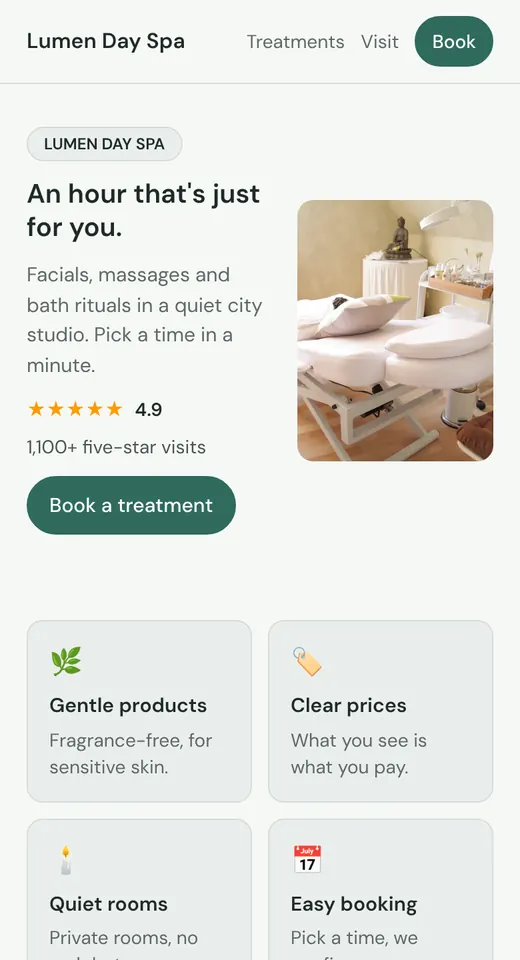
Who it suits
- Salons, barbers, nail and lash studios, booked by stylist or by chair.
- Spas and massage, booked by room or bed.
- Clinics and therapists, where you want to check each request before you confirm it.
- Tutors, coaches and classes, for trial lessons and one-to-one sessions.
- Photographers and makeup artists, where a booking is a date first and the details come in the chat.
If you sell made-to-order products rather than time, an order form fits better: see WhatsApp order form and custom cake order form.
Questions
Can't I just ask for a preferred time in a form?
You can, and for a few bookings a week it works. The trouble starts when two people ask for the same time, or for a time that is already taken: someone has to be told no. A booking page that knows your calendar only offers times that are free.
Can I check each booking before it is confirmed?
Yes. Pick "We confirm each one in chat" and every booking arrives as a request. The time is held while you look at it, and you confirm it from your calendar, which opens WhatsApp with the confirmation typed for you. Or pick "Confirm automatically" and the customer is booked straight away.
Can customers choose who they see?
Yes, if you want them to. Bookings can be for a time, a room (beds, chairs, studios) or a person on your team, and you choose who picks: Linkfyn, your team when confirming, or the customer while booking, with "No preference" as an option.
Does it send reminders?
Not yet. You remind customers in WhatsApp yourself, the way you do now. Your calendar shows each day's appointments, so you can see who to message.
Can customers pay a deposit when they book?
Not yet. If you take deposits, ask for one in the chat when you confirm the booking.
Do I need the WhatsApp Business API?
No. It works with the normal WhatsApp app and with WhatsApp Business. The customer sends the request from their own phone, and you reply yourself. Shops on LINE, Telegram and other chat apps can use it too.
What does it cost?
There's a Free plan. Pro is about US$5 a month, and Business, which adds ads tracking and your team, is about US$15. A new shop gets Business free for 14 days, no card needed.
Make your booking page
Linkfyn gives you a page for your business, a booking page that shows only free times, and a calendar that keeps every appointment. Start here.
Linkfyn is invite-only for now, and free during early access. Leave your email and we'll send you an invite.
Pick your page's address. Free to start, no card needed.